Microsoft account from two workplaces?
Microsoft account from two workplaces?
Problem with AAU login, when you have multiple Microsoft accounts
If you are employed by both AAU and another organisation, and both organisations uses Microsofts sign-in solution, you may experience problems when signing in to AAU's systems.
This can happen because your browser is already signed in with the Microsoft account from your other workplace. When you open an AAU system (for example Moodle or mail), the browser may therefore automatically try to use this account instead of your AAU account.
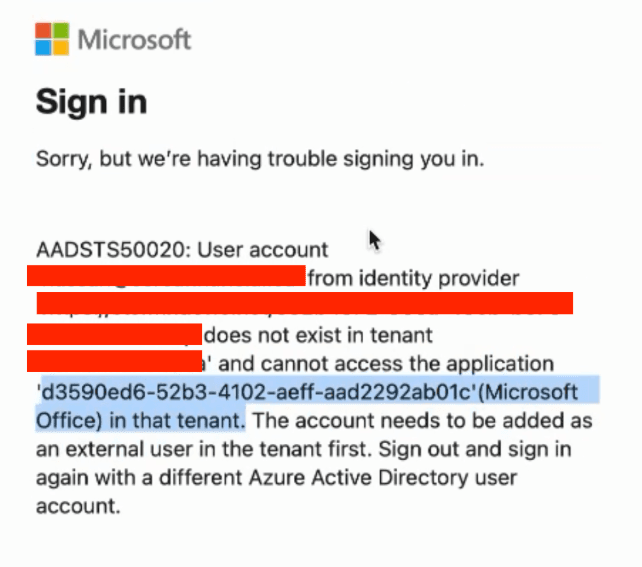
For example, you may see an error, stating that the account you are using does not exist in the Microsoft organisation you are trying to access - as shown in the picture below.
Recommended solution: Use different browsers
If you regularly use Microsoft accounts from two different workplaces, AAU recommends that you use a separate browser for each workplace.
For example, you can use:
- Microsoft Edge for your work at AAU.
- Google Chrome for your work at your other workplace.
But which browser you use for what purpose is of course up to you.
This keeps the two Microsoft sign-in sessions separate and reduces the risk of the wrong account being used automatically.